Lets Imagine a Situation
You need to type an urgent application, a assignment, or an office letter in Assamese.
You open Google and search: "Best Assamese typing software for PC free download."
Suddenly, you are flooded with various of confusing download links, suspicious pop up ads, and paid software trials asking for your credit card.
Some Software required 500 or more Rupees for a license key. Other free tools download unknown strange files that slow down your computer or trigger antivirus warnings.
You feel frustrated and exhausted before you have even typed a single word.
Do you really need to spend money on a simple tools that you might not use regularly.? Or is there a safer, faster way to type Assamese on your PC for free?
Today, we will review the most popular Assamese typing tools on the market, compare their pros and cons, and show you the cleanest solution available today.
Top 4 Assamese Typing Software for PC
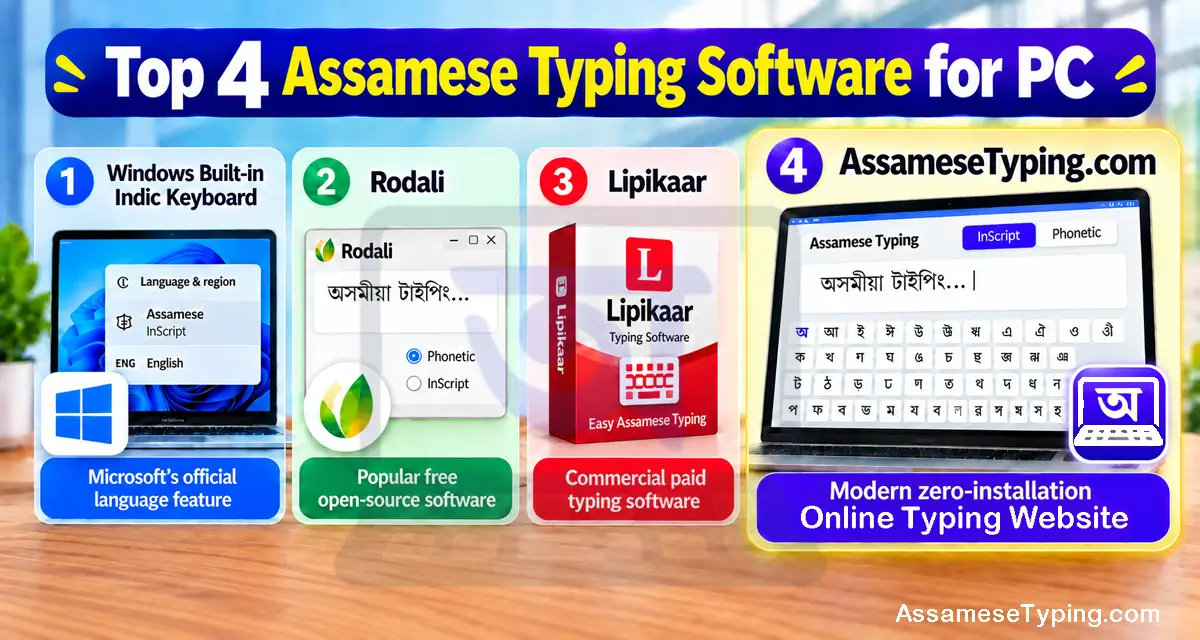
When people look for Assamese typing software on Windows 10 or Windows 11, they usually find four main choices:
- 1. Windows Built-in Indic Keyboard: Microsoft’s built-in language and keyboard support for typing Assamese directly in Windows.
- 2. Rodali: A popular free open-source software built specifically for Assam.
- 3. Lipikaar: A popular desktop typing software that supports Assamese but requires a paid license.
- 4. AssameseTyping.com: A simple online Assamese typing tool that works directly in your browser, with no software installation required.
Let us look closely at how each one works in real everyday life.
1. Windows Built-in Indic Keyboard (Microsoft)
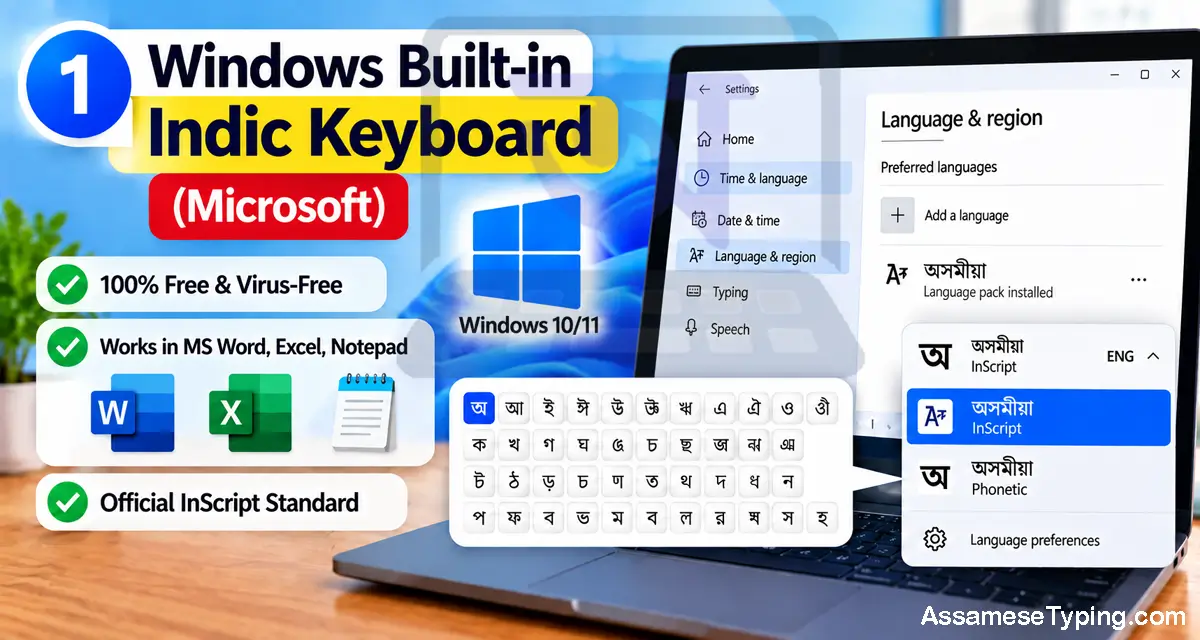
Microsoft includes native Indian language support directly inside Windows 10 and 11 through its built-in Windows Language Settings, adhering to the standardized InScript Keyboard Specification.
You do not need to download any third-party installation file.
You simply open Windows Settings, add the Assamese language pack, and select the InScript layout.
The Good Parts:
- 100% free and built directly into Windows.
- No separate Assamese typing software or installer is required.
- Works directly inside MS Word, Excel, Notepad, and other Windows applications.
- Once configured, you can switch between Assamese and English using Windows keyboard shortcuts.
- Uses the standardized InScript keyboard layout, making it useful for users who want to learn standard Assamese typing.
- Does not depend on an internet connection after the required language components are installed.
- Suitable for regular document writing, office work, applications, and other desktop tasks.
- Because it is part of Windows, there is no need to rely on unknown third-party download websites.
Disadvantages:
- There is no on-screen visual keyboard to help you find keys when you get stuck.
- It does not include typing speed tests, accuracy tracking, or guided practice lessons.
- If you forget how to type a difficult Juktakkhor, there are no helpful hints or suggestions to guide you.
- The InScript layout can take time to learn if you are completely new to Assamese typing.
- Windows does not provide a dedicated Assamese typing practice environment.
- You need to remember the correct key positions instead of relying on phonetic typing.
- Finding and learning difficult conjunct letters can be challenging for beginners.
- The setup process may feel confusing for users who have never added a new language or keyboard layout in Windows.
2. Rodali (Free Open-Source Software)
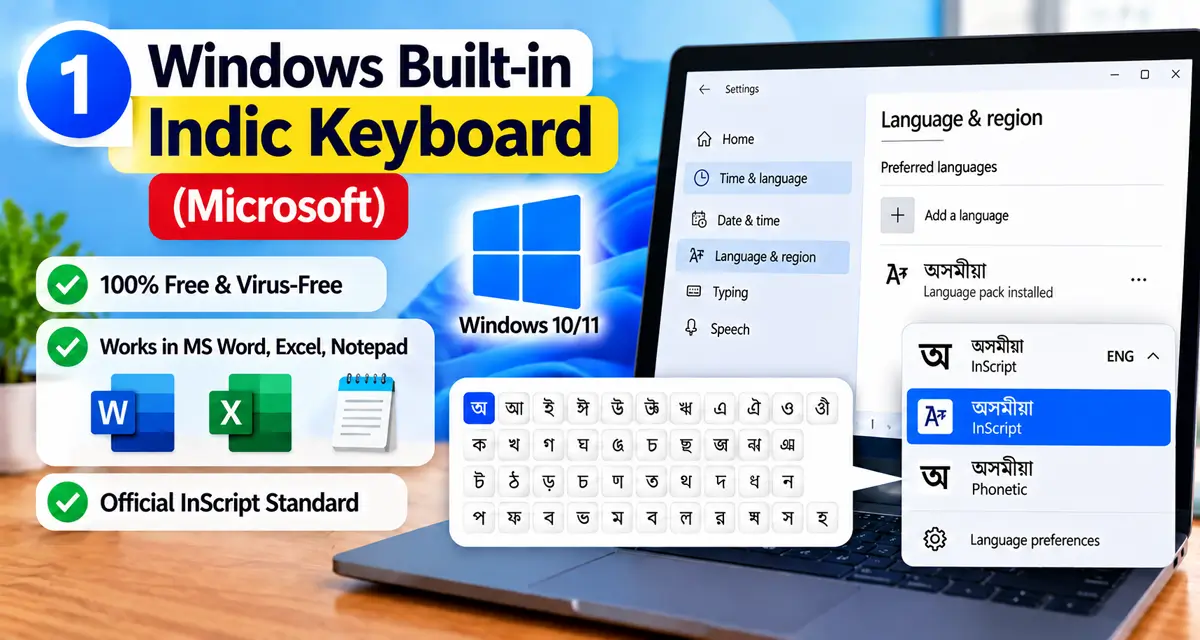
Rodali is a free Assamese typing software developed by Assamese software enthusiasts. It has been used by many Assamese users who need a dedicated desktop solution for typing in Assamese.
It allows users to switch between phonetic typing and InScript layout on desktop applications.
The Good Parts:
- Free to use without a paid license.
- Supports both phonetic typing and the standard InScript layout.
- Designed specifically for Assamese language typing.
- Works with common desktop applications such as Word and text editors.
- Uses Unicode, so Assamese text can be copied and used across modern applications and websites.
- Useful for users who prefer a dedicated Assamese typing program on their computer.
- Provides an alternative to relying entirely on the keyboard settings built into Windows.
- Can be useful for users who already know Assamese phonetic or InScript typing.
- Does not require purchasing an expensive commercial typing package.
- Suitable for regular Assamese typing tasks such as letters, applications, documents, and general writing.
Disadvantages:
- You need to download and install the software before you can start typing.
- Installation or compatibility may sometimes be an issue on newer Windows versions.
- It is not convenient when you are using a computer where you cannot install software.
- It is primarily designed for desktop use rather than browser-based typing.
- It does not provide a built-in online typing practice system with speed tests and accuracy tracking.
- There is no dedicated browser-based practice environment that you can access from any device.
- Users may need to spend some time learning the available keyboard layouts and input methods.
- If the software is not installed or configured correctly, Assamese typing may not work as expected in some applications.
- It is less convenient for users who regularly switch between different computers.
- There is no need for installation with a browser-based tool, making desktop software less convenient for quick, one-time typing tasks.
3. Lipikaar (Paid Software)
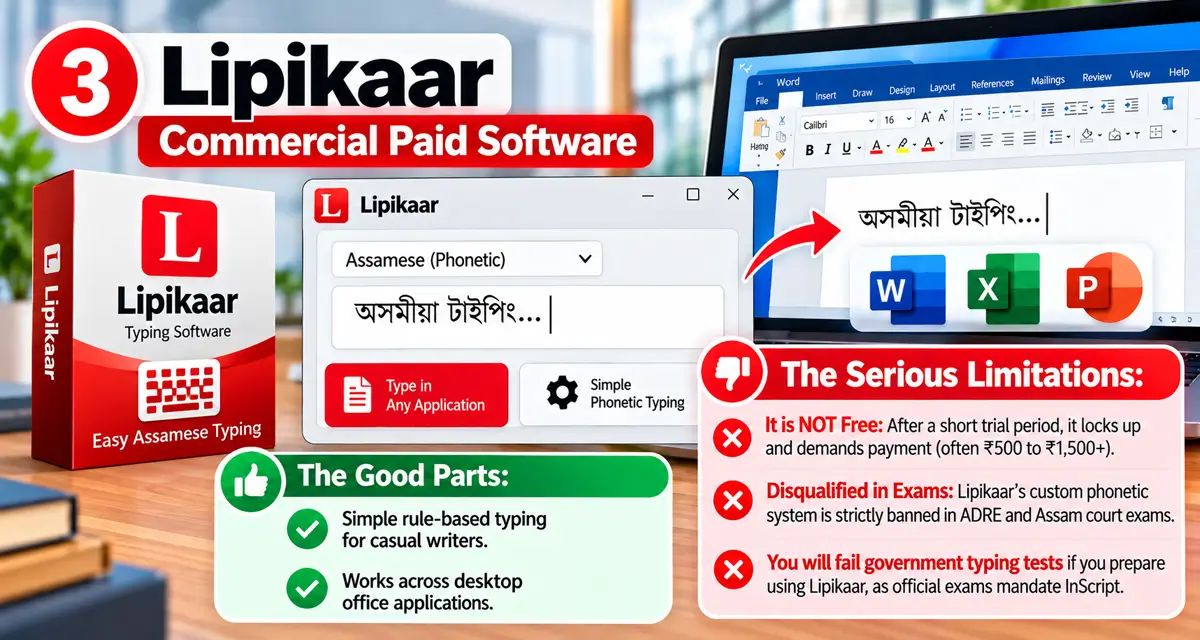
Lipikaar is a paid desktop typing program that offers a simple rule based method for typing Assamese using a regular English keyboard. It is designed for users who do not want to memorize traditional keyboard layouts.
It works with common Windows applications such as Microsoft Word, Excel, and PowerPoint, and supports Unicode Assamese text. Lipikaar also provides an InScript typing option alongside its own typing method.
The Good Parts:
- Simple rule based typing that can be easier for beginners to learn.
- Does not require you to memorize the traditional InScript character mapping when using the Lipikaar method.
- Supports Assamese typing on Windows PCs.
- Works with common Windows applications that support Unicode.
- Supports Unicode Assamese text, making it suitable for modern documents and websites.
- Works offline after installation.
- Also includes an InScript typing option for users who prefer the standard layout.
Limitations:
- It is not completely free: The Windows version currently provides free trial. After the trial period, purchase and activation are required to continue using it.
- It requires installation: You need to install the desktop software before you can use it on your PC.
- It uses a per-PC license: Lipikaar states that its Windows software is licensed for use on a single PC.
- The proprietary typing method is different from InScript: If you are preparing for any assam competitive exam that specifically requires InScript, you should practice the required InScript layout rather than relying only on Lipikaar's typing method.
- No dedicated exam practice system: The desktop software is primarily an input tool rather than a complete Assamese typing practice and testing platform.
- Less convenient on shared computers: Installation and activation can be inconvenient when using a school, college, office, or cyber-cafe computer where software installation is restricted.
Important: Keyboard requirements can vary between government examinations. Before an exam, always check the latest official recruitment notification to confirm the required keyboard layout, typing method, speed, and accuracy requirements.
To understand the difference between these typing methods, read our detailed guide on InScript vs Phonetic Keyboard for Assamese.
Direct Comparison Table: Which Tool Wins?
| Feature | Windows Indic | Rodali | Lipikaar | AssameseTyping.com |
|---|---|---|---|---|
| Price | Free | Free (Open Source) | Paid (Trial only) | 100% Free Forever |
| Installation Needed? | System Setting | Yes (Desktop App) | Yes (Heavy EXE) | Works in Browser |
| Visual Keyboard Guide | No | No | No | Yes (Interactive On-Screen) |
| Exam Speed & Accuracy Test | No | No | No | Yes (Live WPM & Accuracy) |
| 1-Click Word / PDF Export | Manual | Manual | Manual | Yes (Instant 1-Click Export) |
Why Install Software When You Can Type Assamese Online?
Think about how you use the internet every day.
You do not install a separate program just to watch a YouTube video. You simply open your browser and start watching.
You do not need a desktop application just to check Gmail. You open your browser, sign in, and get started.
So why should Assamese typing still require downloading and installing a separate program?
A browser-based typing tool removes much of that setup. You can open the website, start typing, and use the tool without installing another program on your computer. Web applications are specifically designed to work through a browser without traditional software installation.
This becomes especially useful when you are using a college computer, office PC, library computer, or cyber cafe where you may not have permission to install software.
You can simply open the browser, visit the typing tool, and start working.
There is also no need to keep a separate installer on your computer or manually update the typing software. Browser-based applications can be updated centrally, so users generally access the latest version when they open the service.
For occasional Assamese typing, a simple online tool can therefore be a convenient alternative to installing dedicated desktop software.
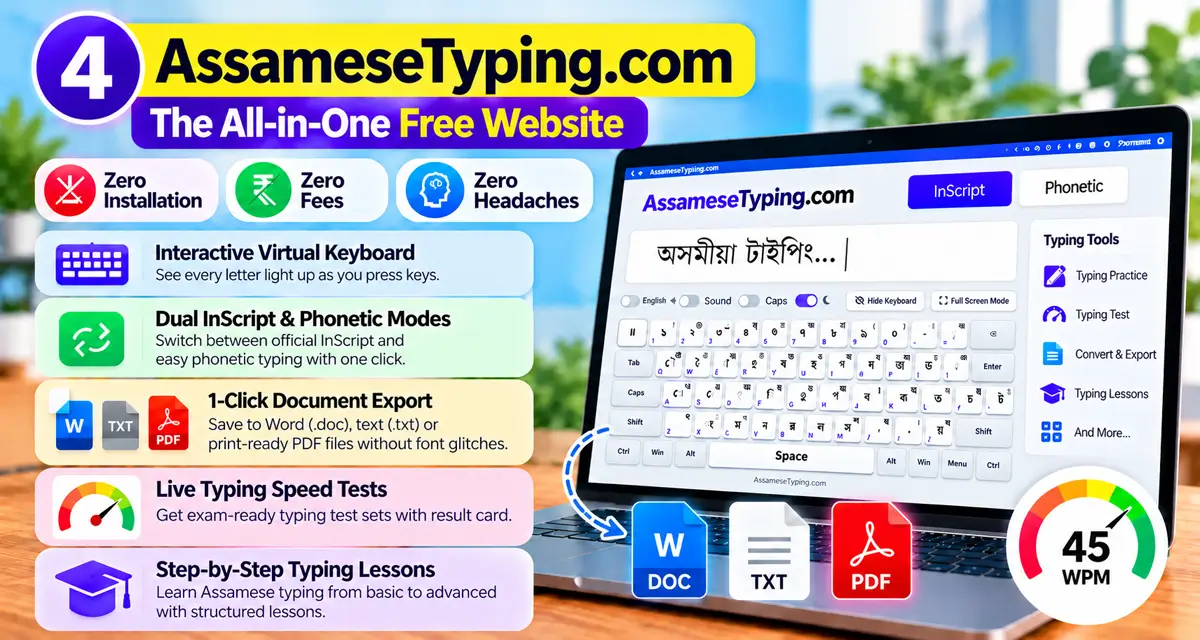
Try AssameseTyping.com: The All-in-One Free Solution
This is why we built AssameseTyping.com.
We wanted to give every student, writer, and job aspirant in Assam a world-class typing suite that requires zero installation, zero fees, and zero headaches.
Ready to Type in Assamese Right Now?
No downloads. No credit cards. No waiting.
Just open the tool, click, and watch your words appear in clean Unicode Assamese!
Here is what you get completely free the second you open our platform:
- Interactive Virtual Keyboard: See every letter light up as you press physical keys on your keyboard.
- Dual InScript & Phonetic Modes: Switch between official government InScript layout and beginner-friendly phonetic typing with one click.
- Instant 1-Click Document Export: Save your completed writing directly to clean Word (.doc), text (.txt), or print-ready PDF files without font glitches.
- Live Typing Speed Tests: Test your words per minute and accuracy anytime on our Assamese Speed Test Tool.
- Step-by-Step Touch Typing Lessons: Teach your fingers where to rest with our structured Free Training Lessons.
If you have an old document that is jumbled or showing broken question marks, read our guide on How to Export Assamese Documents Without Font Problems.
The Final Verdict
If you only want basic system-level typing inside your local offline desktop apps, the Windows Built-in Indic Keyboard is a safe, clean baseline.
Never waste your hard-earned money on paid third-party software like Lipikaar when superior free alternatives exist.
And whenever you want to practice for government exams, test your typing speed, learn finger positions, or quickly type and export clean documents anywhere in the world, AssameseTyping.com is your ultimate free companion.
Bookmark our homepage, invite your friends, and experience the easiest way to type in Assamese today!

Comments (0)
No comments yet. Be the first to share your thoughts!
Leave a Comment